Use a walkthrough to prepare for early access
Get a practical demo focused on your process, team setup, and data controls.

Tell us about your setup
Share your operational priorities so we can tailor the walkthrough to your context.
What happens next
- We review fit and share scheduling options.
- You get a tailored walkthrough and implementation advice.
- If timing aligns, you can move straight into the open beta in the app.
Prefer to join directly?
If you want to try the free open beta without a call, sign up in the app and start immediately.
What you'll see in the demo
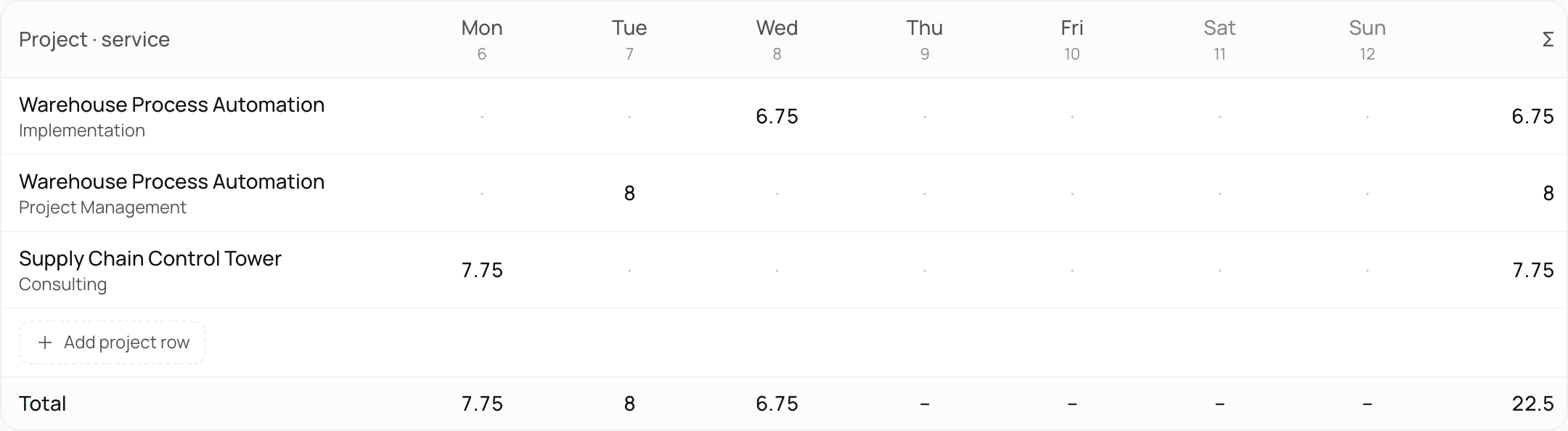
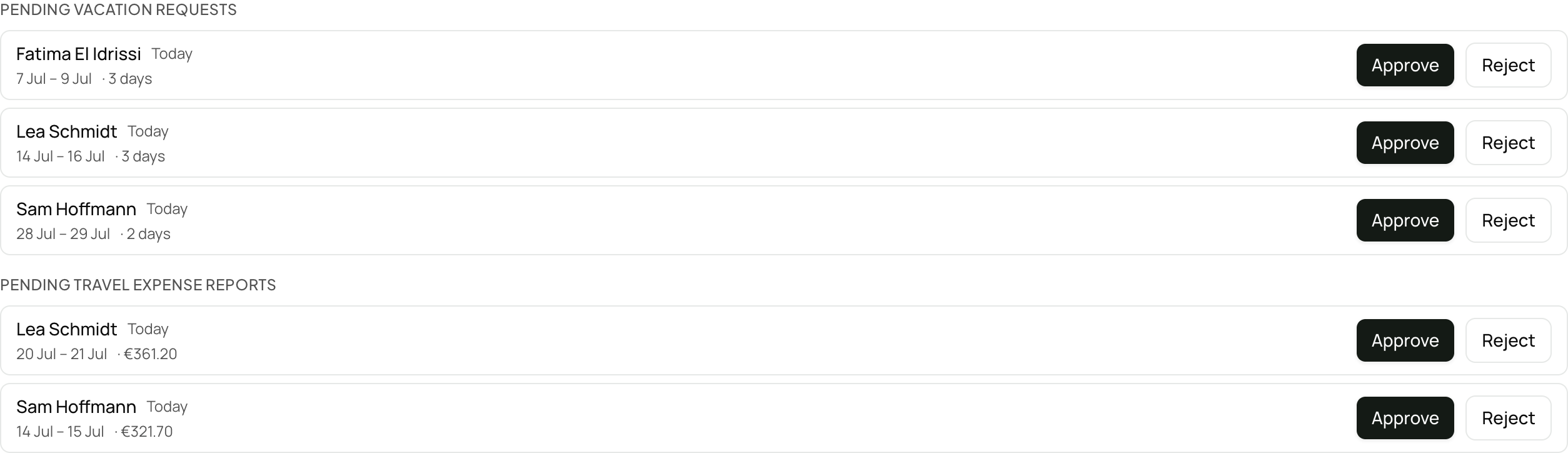
Two cuts from the real app, with demo data: the week grid where your team types hours, and the approvals inbox where they land.

Questions before booking
What's useful to know before your first walkthrough.
Who should book a demo?
Teams that already know their operational goals and want a guided walkthrough with live questions before early access.
What happens after the demo?
We share practical setup and rollout recommendations. If timing and fit align, you can move straight into the open beta in the app.
Can we skip the call?
Yes. If you are ready to start, sign up in the app and add a session later if you want one.